Command center
Arcanum Engine commerce operating score, impact hero, launch checklist, opportunities, and executive brief.
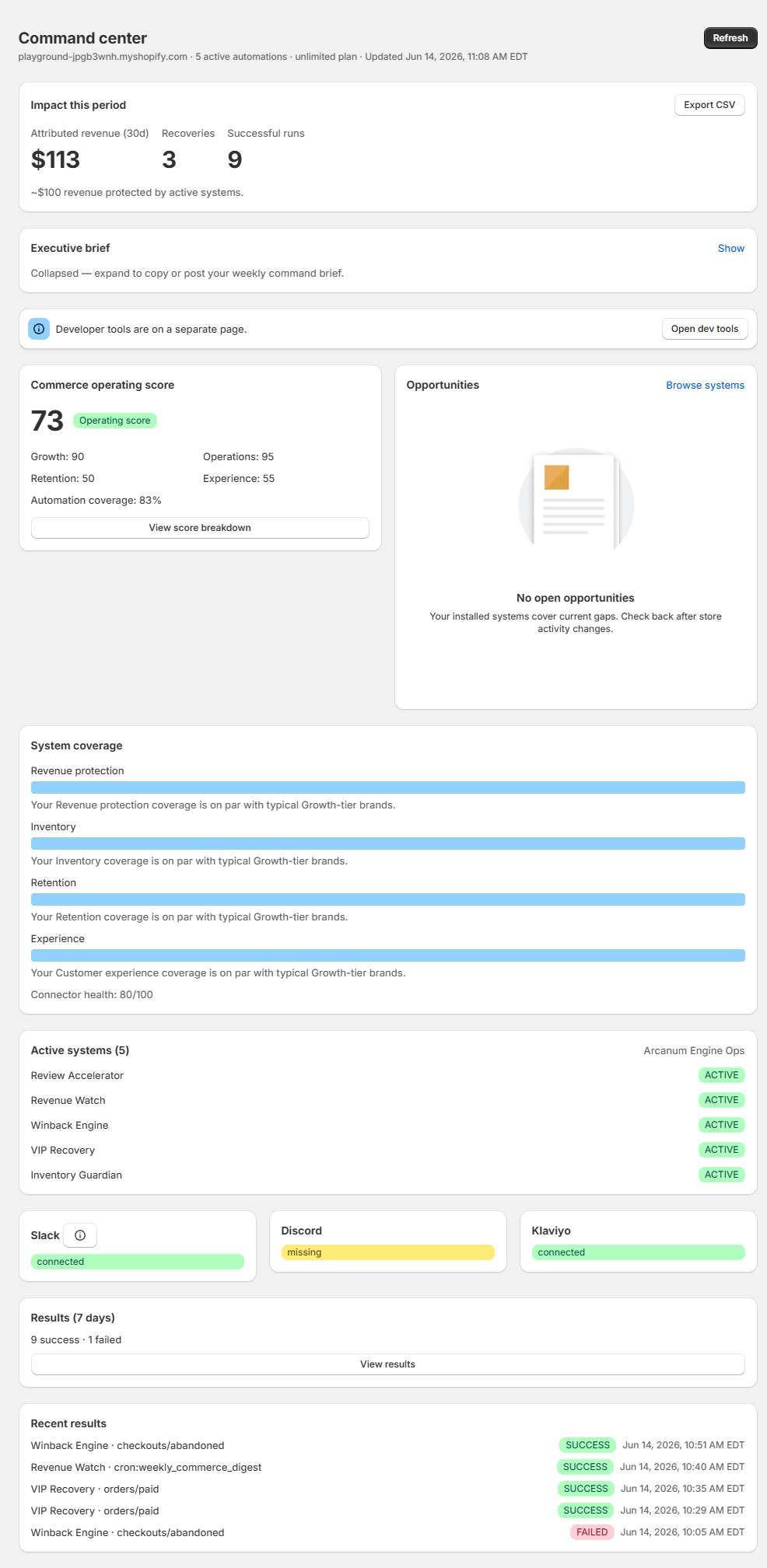
Command center is your home in Arcanum Engine. It combines attributed impact, a five-step launch checklist, commerce operating score, ranked opportunities, system coverage with peer benchmarks, and an executive brief you can copy or post to connected team channels.
Impact this period
The impact hero shows attributed revenue, recoveries, successful runs, and score trend for the current period. Export CSV for leadership reporting. When you have no results yet, the card prompts you to browse Systems and install your first playbook.
Launch checklist
Five steps track setup progress: connect team alerts (email alerts on Starter, or Slack, Discord, or Teams on Growth), set commerce profile goal, install your first playbook, see your first result in Results, and install Revenue Watch. Completed steps show a checkmark; pending steps include a Go link.
Operating score and breakdown
Your overall commerce operating score reflects Growth, Operations, Retention, Experience, and Automation dimensions from recent Shopify activity and installed systems. Click View score breakdown to see each dimension, coverage percent, peer hints, and install links for gaps. When coverage is below anonymized peers in your vertical, Command center also shows a peer benchmark callout with a recommended install link.
Opportunities and staff recommendations
When Engine detects a gap, an opportunity card appears with priority, projected impact, and an install link. Optional recommendations from Arcanum support may appear when configured for your store. Next best action shows only when it adds information beyond the opportunity list.
System coverage
Coverage bars show revenue protection, inventory, retention, and experience completeness. Peer benchmark hints on each bar compare your coverage to typical Growth-tier brands.
Executive brief
The executive brief is collapsed by default. Expand it to read the same weekly command summary included in Revenue Watch digests. Copy for standup or post to Slack, Discord, or Teams when connected.
Plan slots and refresh
The page subtitle and impact hero badge show playbook usage (for example 2 of 10 playbooks active on Growth), plus last updated time. A Get started wizard appears when setup steps are incomplete. A dismissible banner invites you to set your commerce profile on first visit. Use Refresh on the page header to reload. A warning appears when playbook slots are full.
Was this page helpful?