Daily briefing
How Hollow Sentinel daily briefings summarize what changed, what needs attention, and how revenue at risk is presented.
The daily briefing is Sentinel's primary written summary — on Command center and by email on Starter+. It tells you what moved, what regressed, and what to investigate first. For prioritized action cards (what / why / impact / Engine can act / owner), use the Decision queue on Command center.
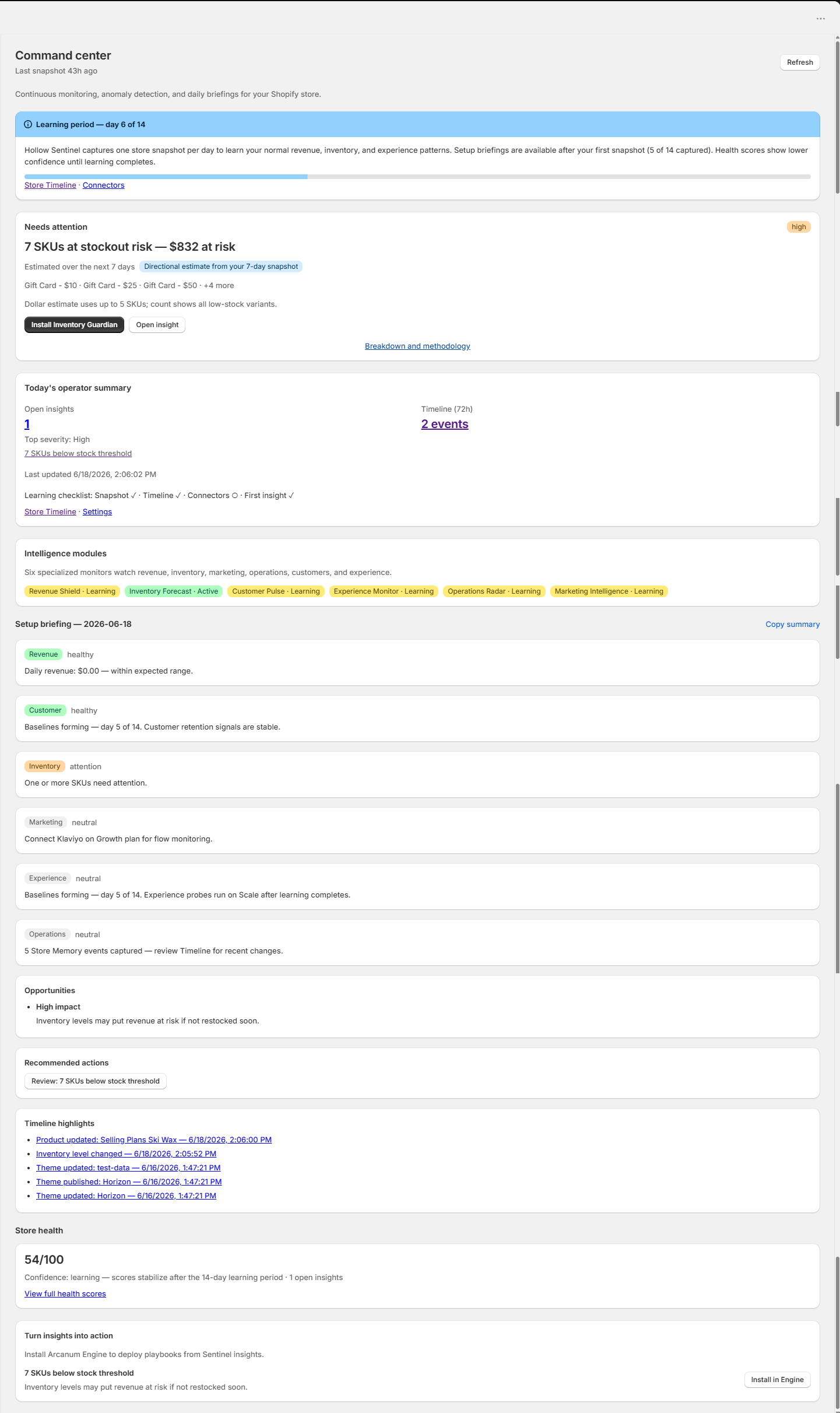
What each briefing includes
- Revenue health — order volume and AOV vs your baseline
- Inventory health — stockouts, low-stock SKUs with names in the Revenue at risk breakdown, and fulfillment friction
- Experience and operations — theme changes and store timeline highlights
- Open insights — top anomalies ranked by severity with confidence
- Recommended actions — Engine playbook install links when Engine is installed and a mapping exists
- Revenue at risk — projected impact from unresolved issues with component breakdown (Growth+)
- Data quality warnings when catalog or refund totals are estimated
Partial-day trust
Before your store's trading day is far enough along, Sentinel applies partial-day baselines to revenue checks. The briefing may show an info callout explaining that morning revenue alerts are held until patterns are reliable — reducing false positives compared to naive threshold alerts.
Learning period (14 days)
New installs enter a 14-day learning period. Setup briefings appear after your first daily snapshot — you do not wait 14 days for your first briefing. Sentinel captures one store snapshot per day and builds baselines before treating metric moves as full-strength anomalies. Command center shows a learning checklist and operator summary while learning is active.
When briefings refresh
Sentinel captures metrics on a scheduled cadence and composes briefings via the daily briefing job (08:00 UTC). Most merchants see an updated briefing each morning. Use Refresh on Command center to pull the latest dashboard state. Executive briefings on Scale add a weekly leadership summary (Mondays).
Email and Slack delivery
Starter and above support email for daily briefings and critical insight alerts when you save your Resend API key, verified from address, and alert recipients in Settings. Set briefing channel to Slack on Growth+ to deliver briefing highlights to your webhook channel. Industry peer benchmarks appear on Command center and Health on Growth+.
Was this page helpful?