Insights
How Hollow Sentinel detects anomalies, ranks insights, links store timeline events, and suggests root causes.
Insights are anomalies Sentinel detects when current metrics diverge from your baselines. Each insight includes severity, a plain-language summary, and — on Growth+ — rule-based root-cause hints and links to related timeline events.
How detection works
- Sentinel captures daily metric snapshots from Shopify webhooks and scheduled jobs.
- Baselines are recomputed from your rolling history (14 daily snapshots to complete learning).
- When a metric crosses a statistical threshold, Sentinel opens an insight.
- Morning revenue checks use partial-day suppression — early-day noise is held unless the move is extreme.
- Correlated timeline events (for example a theme publish) attach when store memory has a match.
- Snooze or dismiss insights from the Insights page; dismissed insights stop email alerts for that type.
How insights are prioritized
Open insights sort by severity (Critical first). On Growth+, revenue at risk and briefing context help you focus on dollar impact. Command center Decision queue shows up to five prioritized decisions from open insights; Insights remains the full drill-down with snooze, dismiss, and root-cause analysis.
Root cause analysis (Growth+)
Growth includes rule-based root cause hints that connect symptoms to likely drivers — for example inventory stockouts after a bestseller spike, or conversion dips following a theme publish (Store change detected badge). When an insight references a timeline event, use View on timeline from the insight card or Related insight from the timeline row.
Inventory insight detail
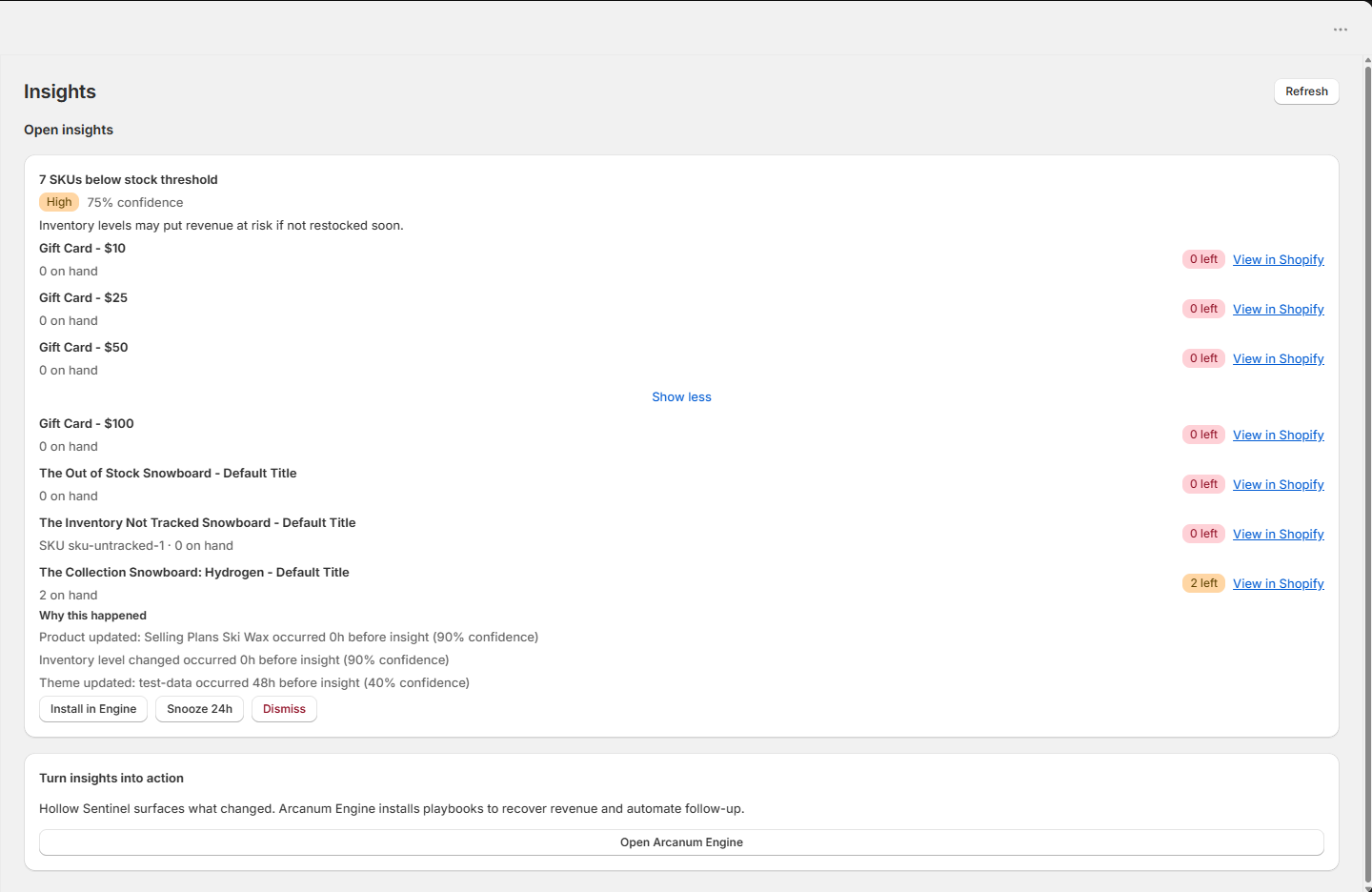
When Sentinel opens an inventory_risk insight, the card lists up to ten low-stock variants from your latest snapshot — display name, SKU, quantity on hand, and a Shopify Admin link. Dollar revenue at risk appears on Command center and in the daily briefing, not as a per-insight dollar on every Insights card in v1.
Engine playbook links
When Arcanum Engine is installed on the same store and the insight type maps to a known playbook, Sentinel shows Install in Engine on the insight card and syncs a GUARD recommendation to Engine (Detected by Sentinel). Engine install tier requirements still apply inside Engine.
Was this page helpful?