Cost coverage in Margin Keep
Sync Shopify costs, upload a spreadsheet, and see which products have known, estimated, or missing costs.
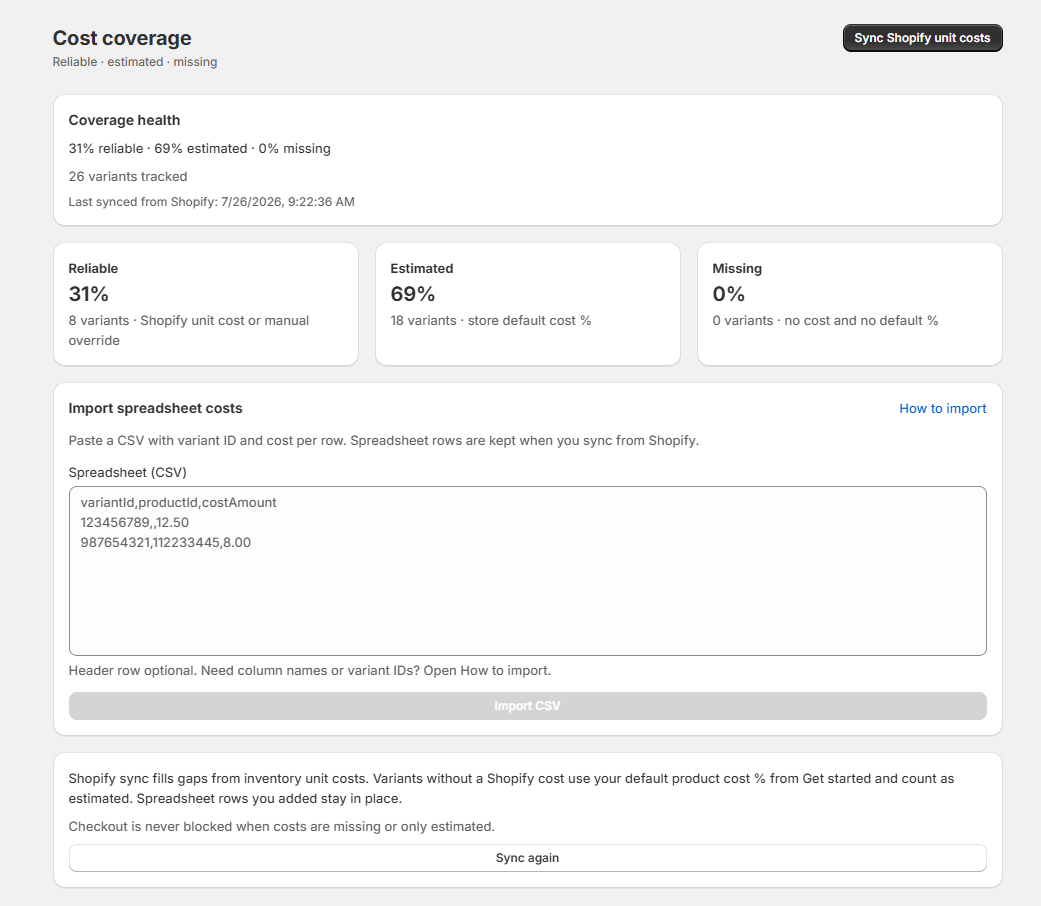
Cost coverage shows how much of your catalog has known costs (from Shopify or your spreadsheet), estimated costs (your default %), or missing costs. Treat estimates as guides — not accounting numbers.
Spreadsheet upload
Paste a CSV when Shopify does not have the right unit cost — or when your real cost lives in another file. Required columns: variantId and costAmount. Optional: productId. Header row is optional. Use the variant number from Shopify Admin (Products → open a product → click a variant → number at the end of the URL) or copy an ID from Safety Studio.
Why upload a spreadsheet?
- Shopify is missing unit costs for some variants (bundles, kits, dropship SKUs).
- Your true cost differs from Shopify — landed cost, supplier invoices, or internal COGS.
- You want Safety Studio and checkout checks to use real numbers instead of the default cost % guess.
Imported costs count as known in coverage health. Shopify sync will not overwrite spreadsheet rows you added. Each import is saved in cost history. If costs are missing or uncertain, checkout is never blocked.
Costs power checkout Block
Block can only stop an order when every item in the cart has a known cost. Products with estimated or missing costs are always allowed through. When you sync costs or upload a spreadsheet, Margin Keep also publishes each product's known cost to checkout so Block can read it. If you change a Cost per item later, checkout usually updates on its own within about a minute — or use Publish to checkout in Settings if you need an immediate update or auto-publish failed. Prices and discounts do not need a publish.
Was this page helpful?