Getting started with Margin Keep
A short store setup path: install, set profit targets, add costs, try Safety Studio, scan discounts and sale prices, then watch before you enforce.
Margin Keep checks profit after product cost, discounts, card fees, packaging, and shipping help. Numbers marked estimated or missing are guides — not your full books.
Store setup path
- Install Margin Keep and open it from Shopify Admin. In Settings → Plan, choose Monitor, Protect, or Scale and approve the Shopify charge (or trial) so features unlock.
- Open Get started and enter minimum profit margin %, minimum profit $ per order, a default product cost %, card fees, packaging, and shipping help. Use the info icon beside any field for a short explanation.
- Open Cost coverage. Sync unit costs from Shopify or upload a spreadsheet. Aim for most variants to show as known (reliable) costs.
- Open Safety Studio. Pick a product, try a sale price or a sample promo (for example 20% off), run the simulation, and read What you can try.
- Open Promotion audit and click Scan discounts & sale prices. This finds risky discount codes and products whose sale price is already below your floor. Suggest a safer %, pause a risky discount, or fix a low price.
- Stay in watch-only until Overview looks right. On Protect you get campaign insurance (peak sale, alerts, Admin pause). Turn on warn or block only after costs are in place and you have tested a cart.
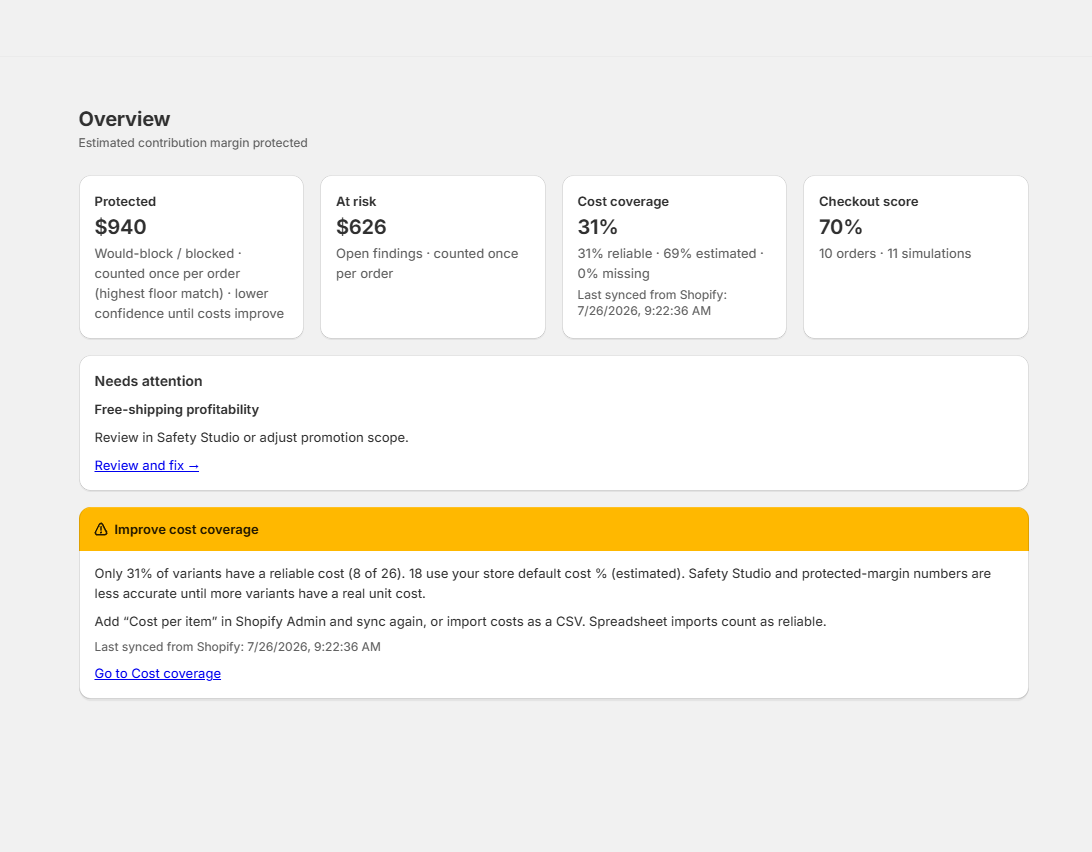
Overview shows a Ready to protect promotions checklist until the important steps are done. After any new discount permission, reopen Margin Keep from Shopify Admin so the app can pause discounts.
Was this page helpful?