Black Friday / Cyber Monday and loss budget
Peak-sale controls on Protect: a temporary profit floor for the sale window, plus a spending cap on allowed loss.
On Protect, open Settings → Protect controls to set BFCM (peak sale) mode and a loss budget. These are the heart of campaign insurance — a short, intentional deep-discount window without permanently changing your year-round floor.
BFCM (peak sale) mode
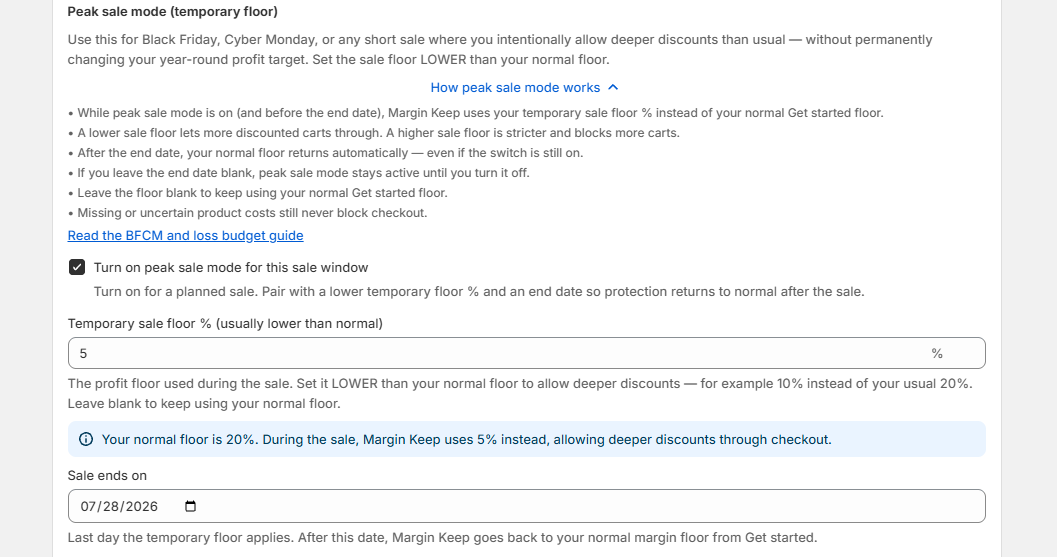
BFCM mode is for Black Friday, Cyber Monday, or any short sale where you accept a lower profit target for a few days without permanently changing the floor you set in Get started.
While BFCM mode is on (and before the end date), Margin Keep uses your temporary margin floor % instead of your normal floor. After the end date, your normal floor returns automatically. If you leave the end date blank, the temporary floor stays until you turn BFCM mode off.
You must enter a temporary floor % for BFCM mode to change anything. Leaving it blank keeps your normal floor. Missing or uncertain product costs still never block checkout.
How to set it up
- Turn on BFCM mode before the sale starts.
- Enter a temporary margin floor % (for example 10% if your normal floor is 20%).
- Set an end date for the last day of the sale.
- Save Protect settings. That applies your temporary floor to checkout when you use Flag or Block.
- Optional: set a loss budget so you also cap how much profit below the floor you’ll allow.
Loss budget
A loss budget is the most estimated profit below your floor you allow per day or week. Margin Keep tracks usage when warnings fire. Overview shows a meter when a budget is set. It works alongside BFCM mode — temporary floor for the sale target, loss budget for the spending cap.
Checkout is still never blocked when costs are missing or uncertain.
Was this page helpful?