Sale prices vs discount codes
Lowering a product's price (or setting a compare-at sale) is not the same as a discount code. Here is how Margin Keep watches both.
There are two common ways to run an offer in Shopify, and Margin Keep watches both.
Discount codes and automatic discounts
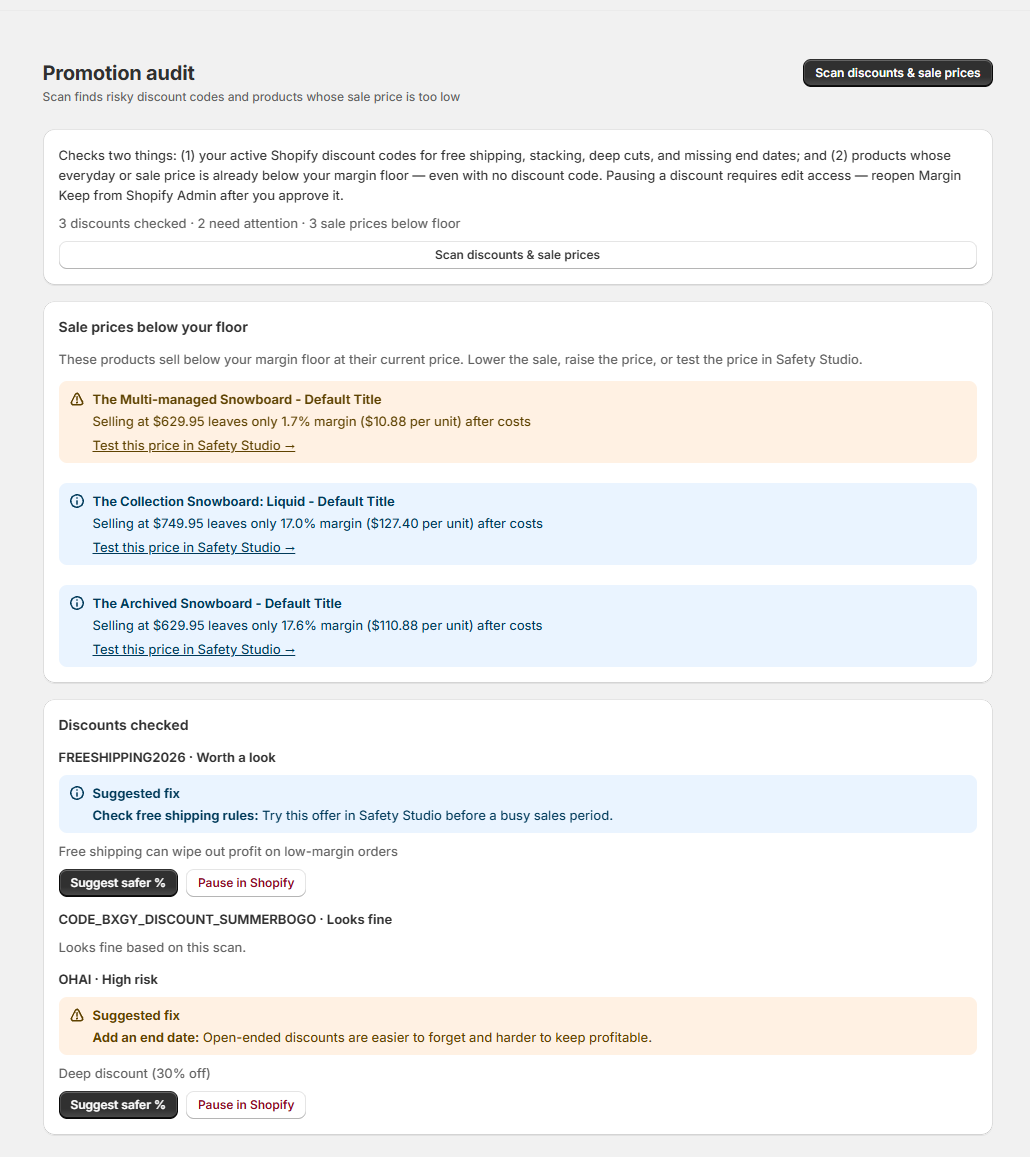
These are the offers you create under Shopify Admin → Discounts, like SUMMER20 or an automatic "10% off". Promotion audit lists them and flags free shipping, stacking, deep cuts, and missing end dates.
Sale prices (lowered price or compare-at)
A sale price is when you simply lower a product's price, or set a "was" (compare-at) price so the product shows as on sale. There is no discount code involved. This is the kind of offer that can quietly wipe out profit — for example a product marked down from $749.95 to $524.97 that now sells below cost.
How Margin Keep watches sale prices
- Scan (Promotion audit) flags products whose current price is below your margin floor after costs — no discount code needed.
- Overview surfaces the worst offender under Needs attention.
- Protect campaign insurance lets you pause risky discount codes and run peak-sale floors with team alerts.
- Optional Protect Block uses the customer's live cart price (including the sale price) so an order below your floor can be stopped — as long as every item has a known cost.
Sale-price findings warn and coach; they do not pause anything for you. Use Safety Studio to test a price, then raise the price or reduce the sale.
Was this page helpful?